
COMPASS
One platform for curriculum advisors, instructional coaches and school leaders: curriculum maps, coaching cycles, observations, school improvement and student data, with a mobile app for the work done in classrooms.


Built for every role
- District leaders: curriculum, plans and compliance
- Coaches and advisors: caseloads, cycles and visits
- Principals: walkthroughs, data and improvement plans
- Teachers: feedback, growth plans and action steps
See it in action
From the data wall to the classroom
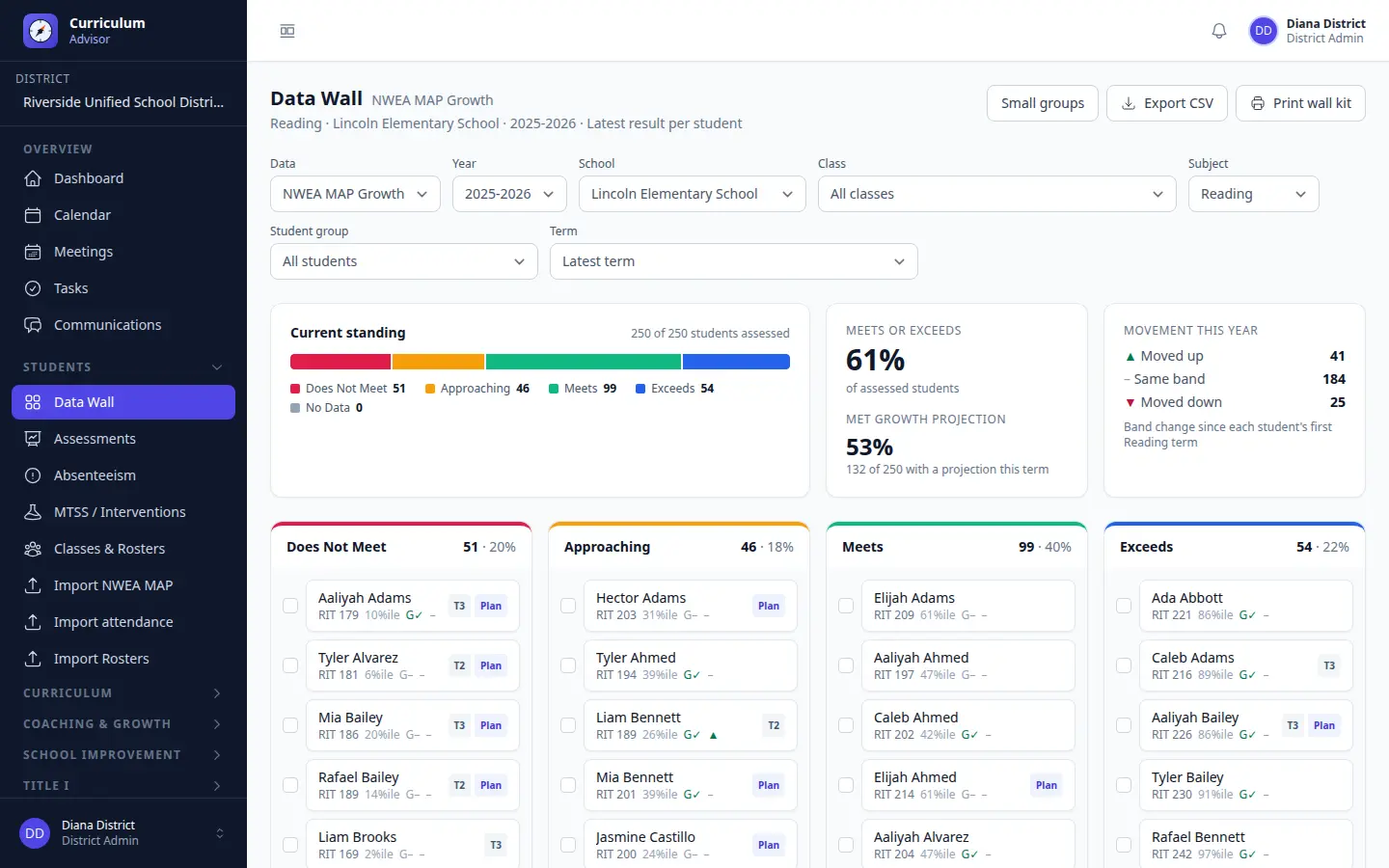
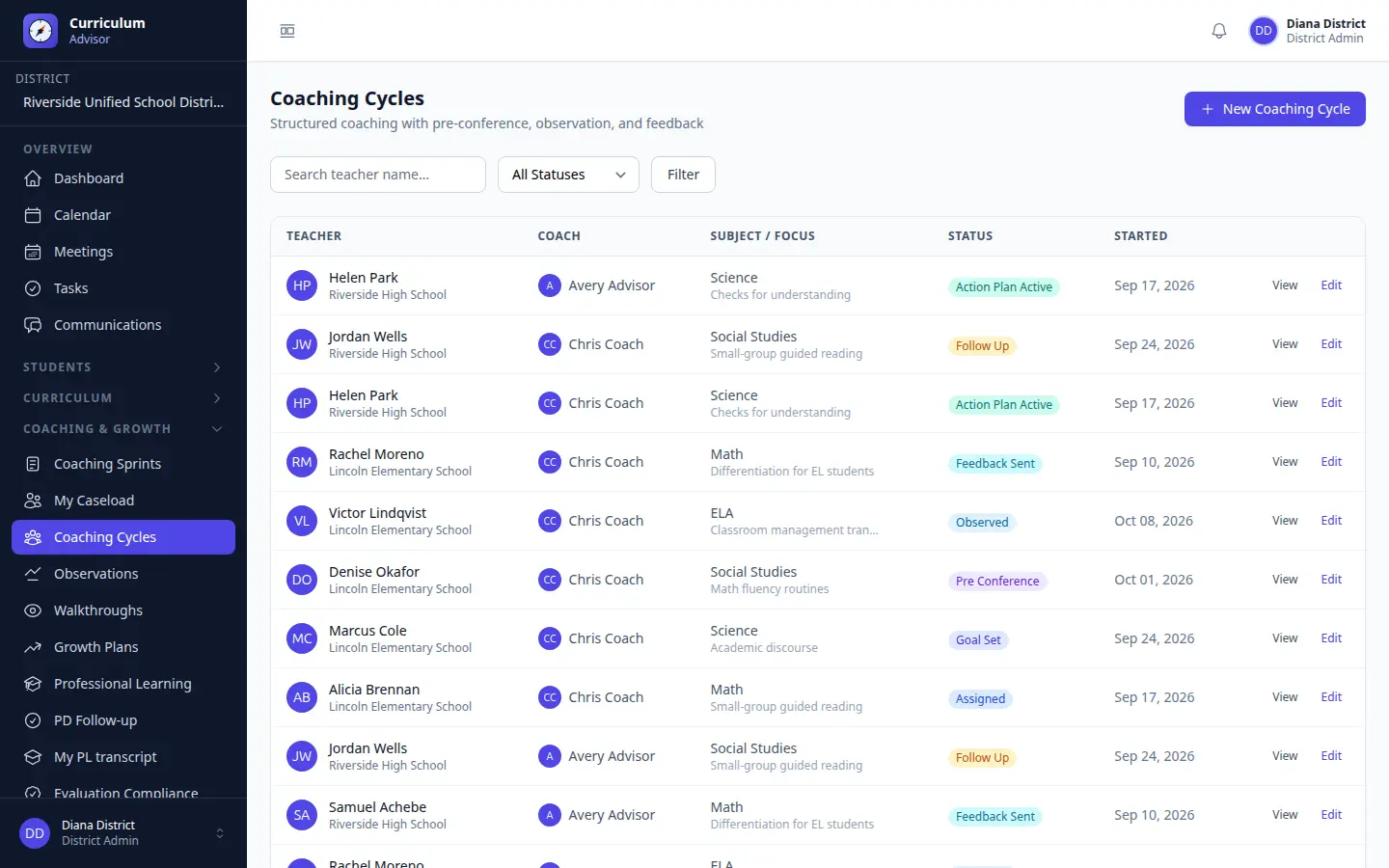
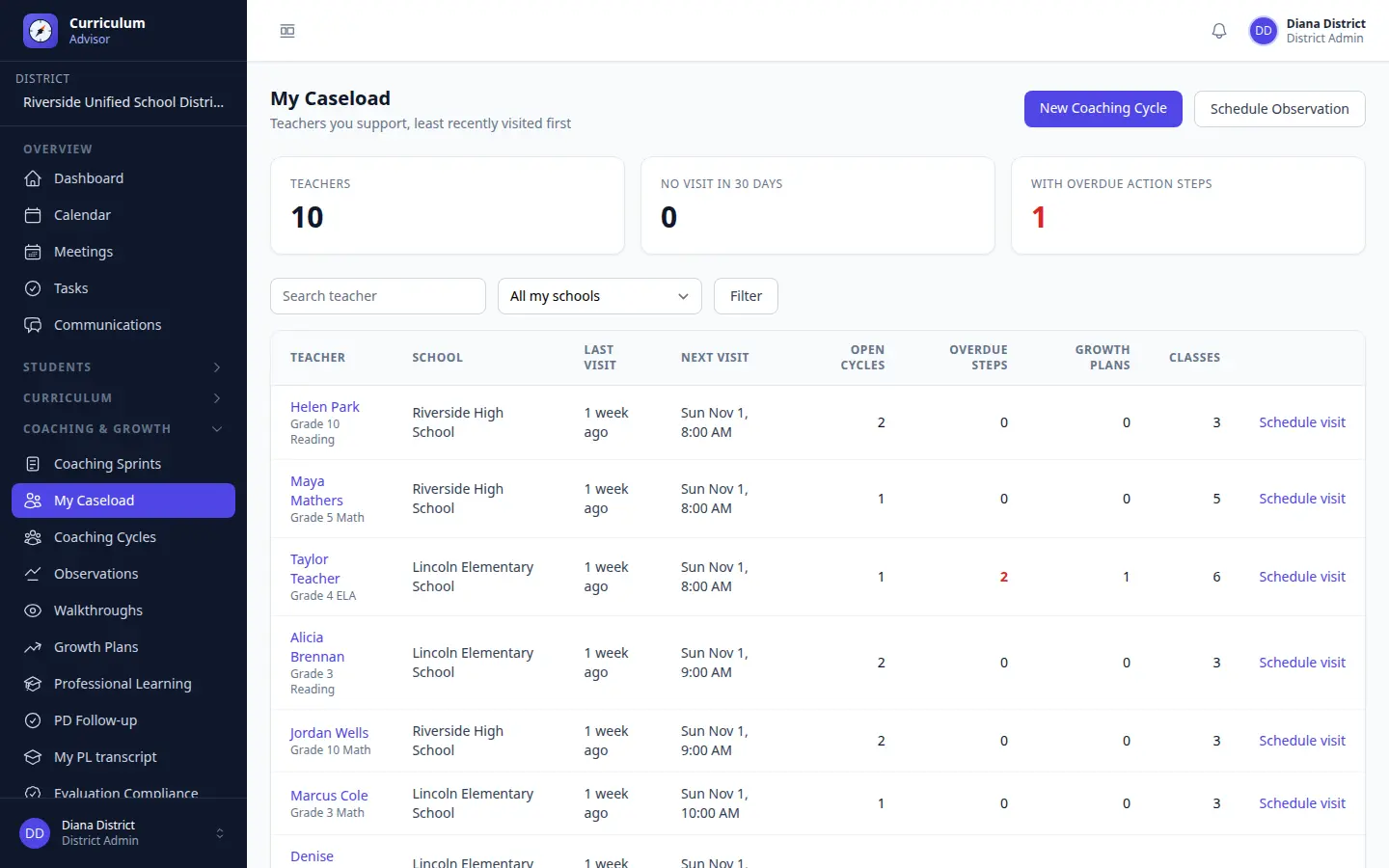
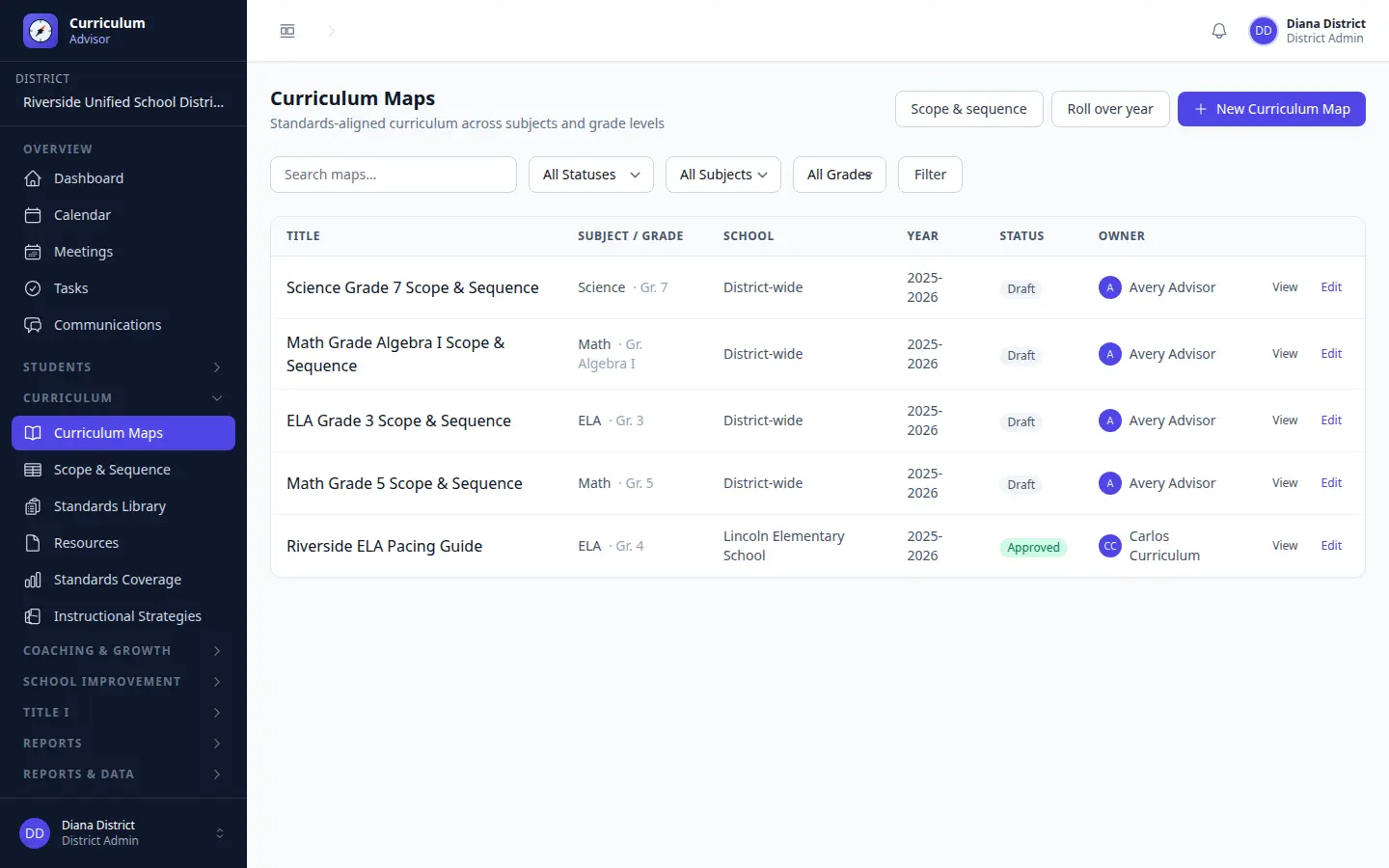
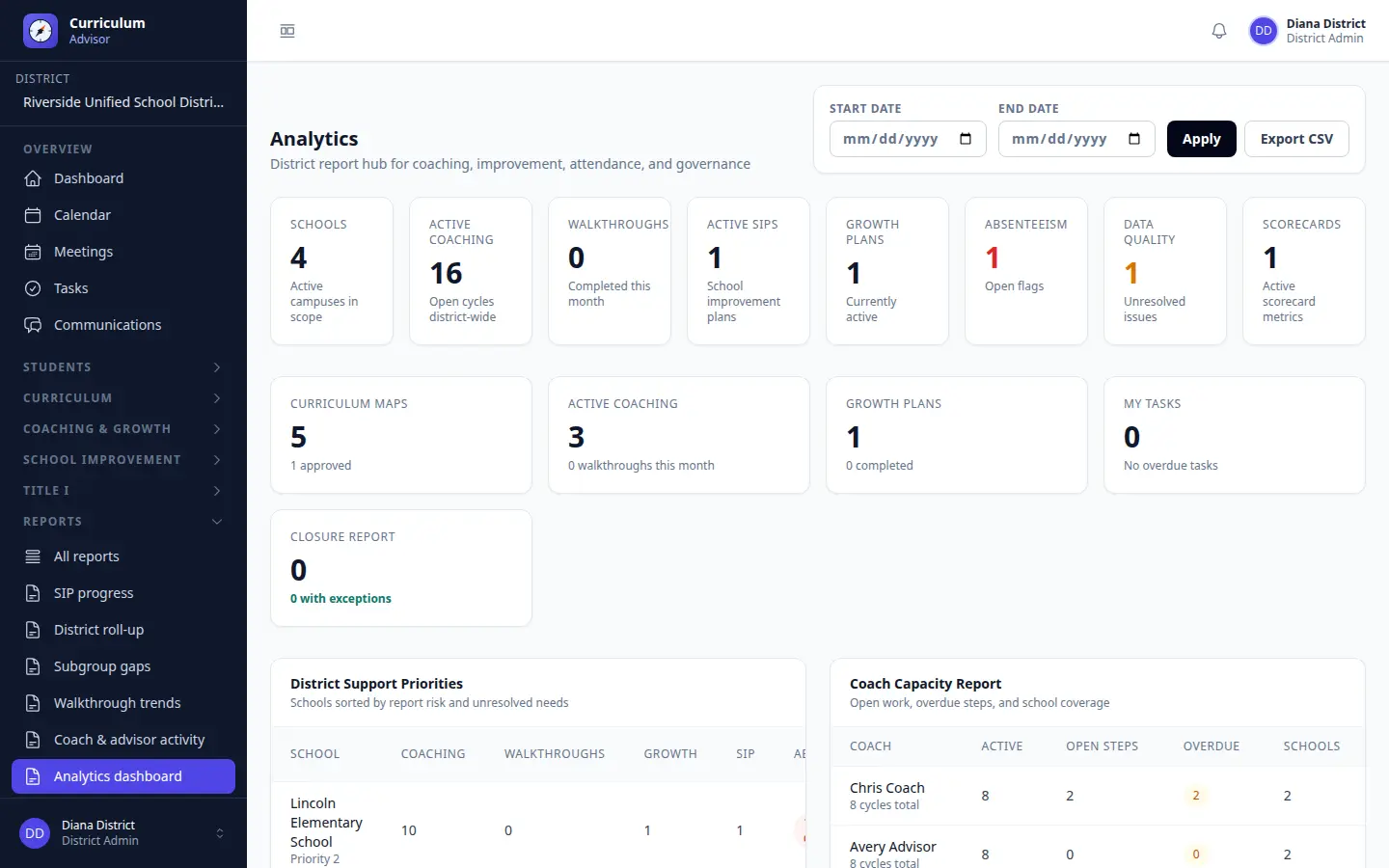
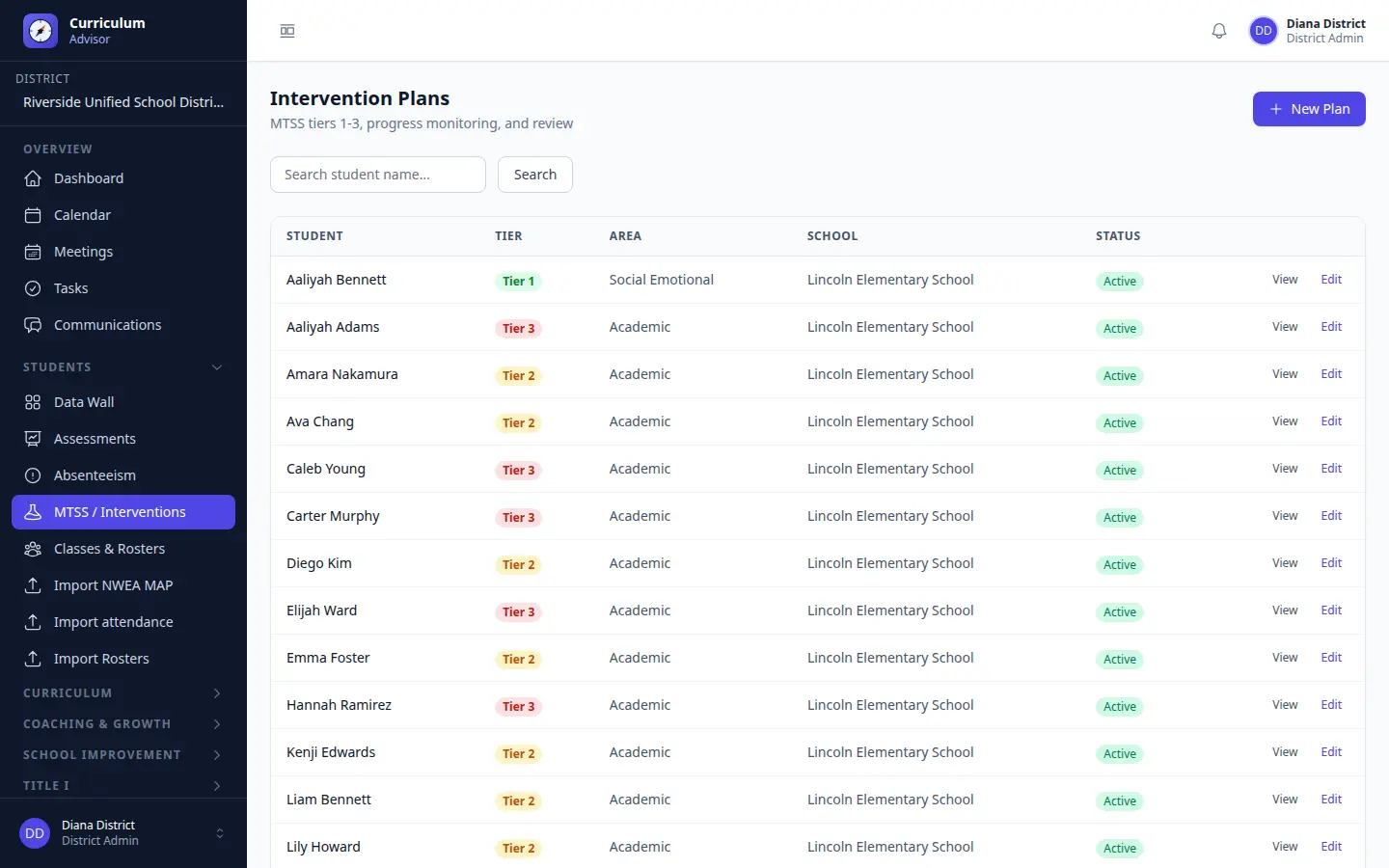
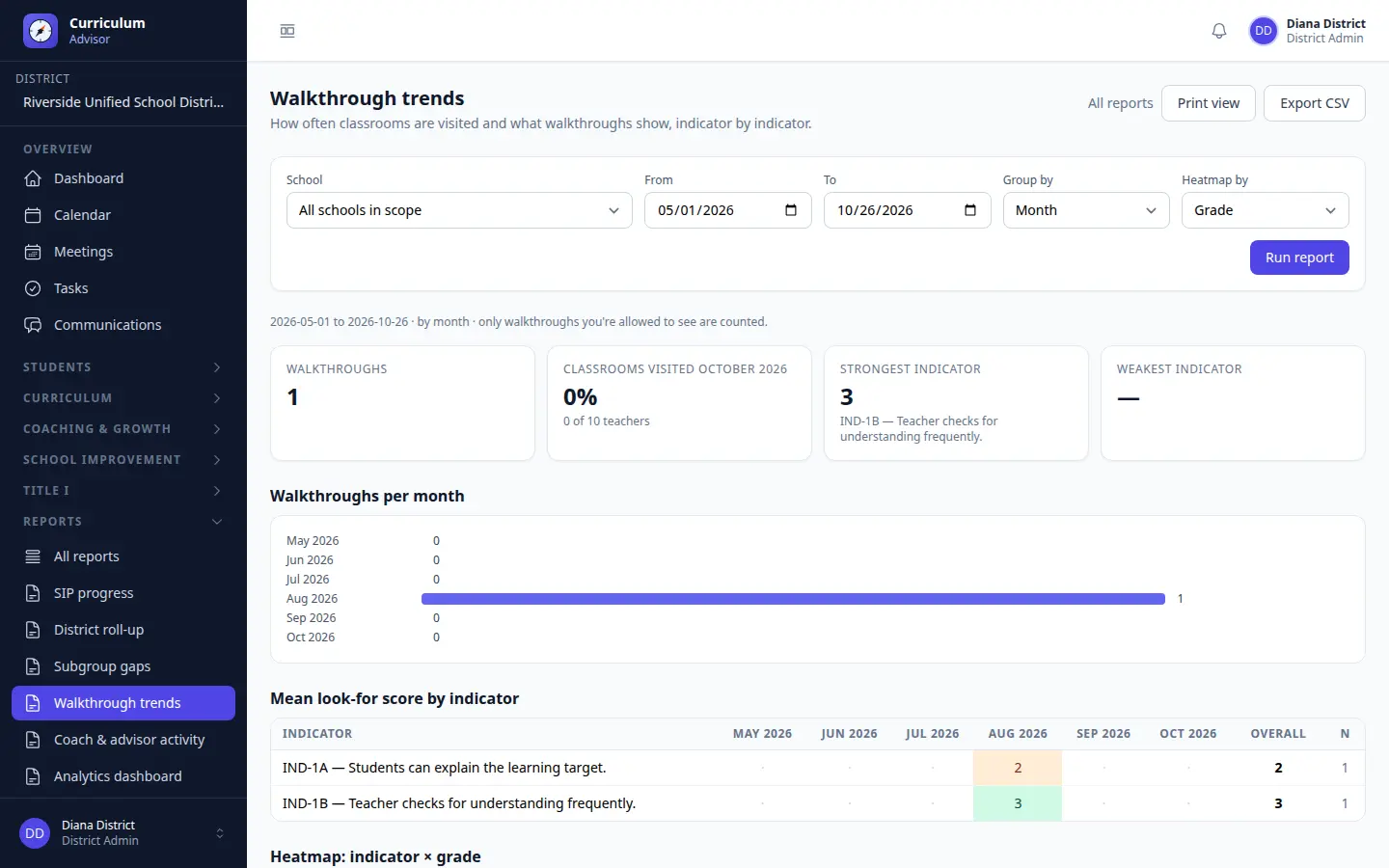
Screens show the demo district. Click any image to view it full size, or sign in to the live demo.
Coaching, wherever the day takes you
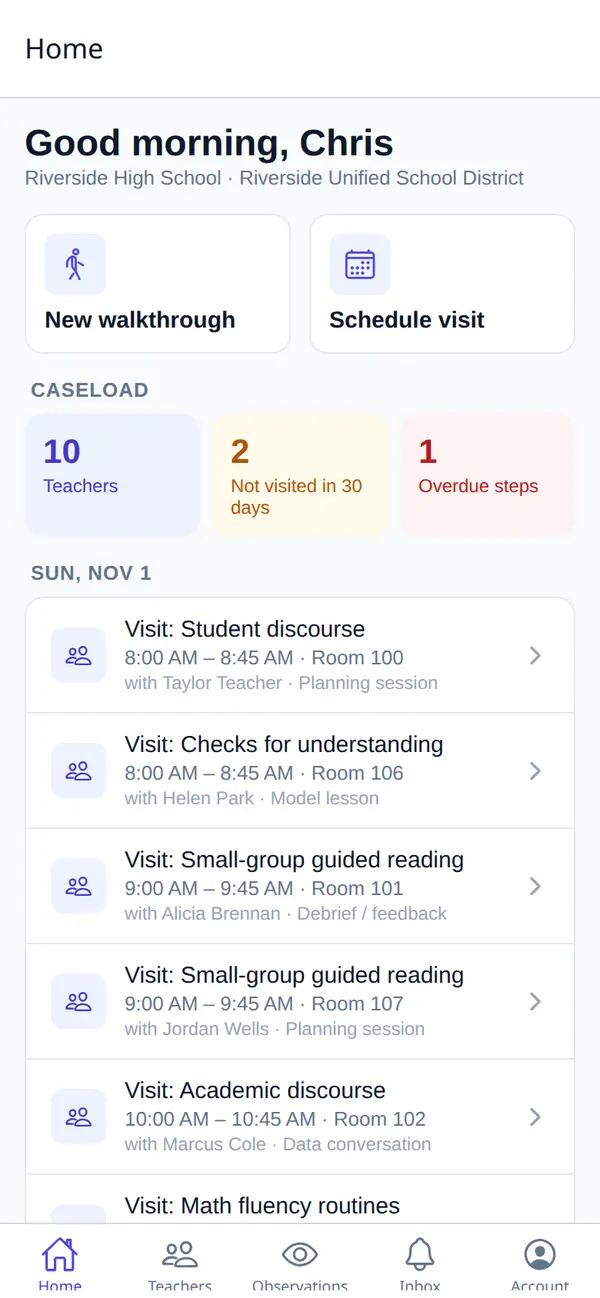
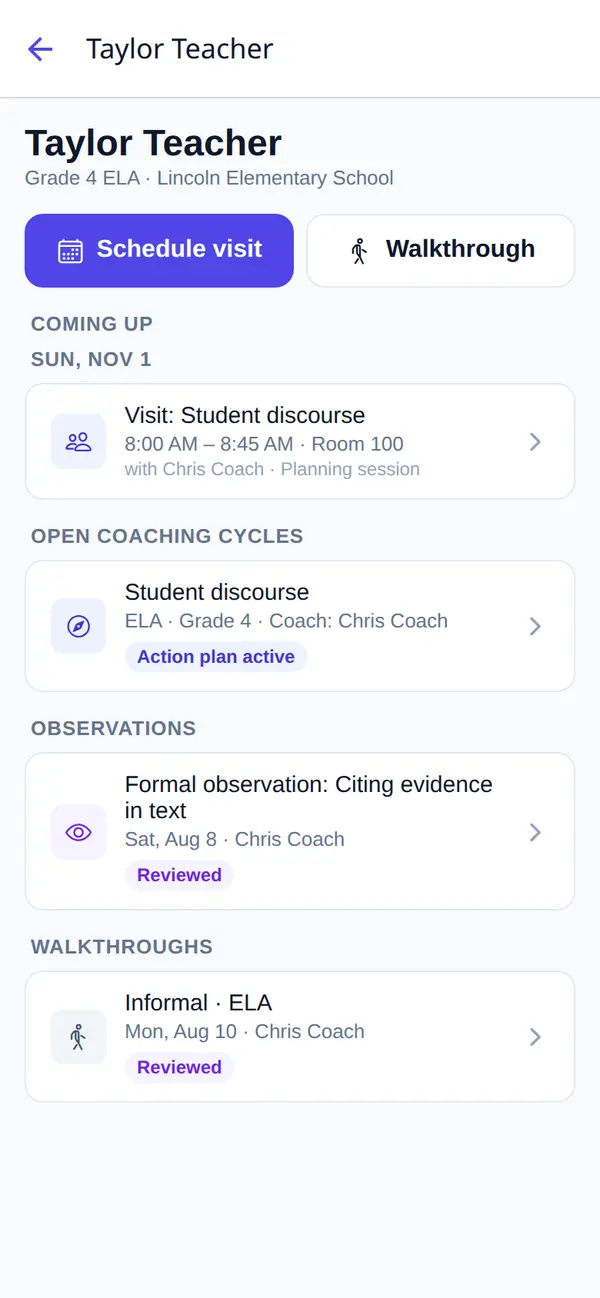
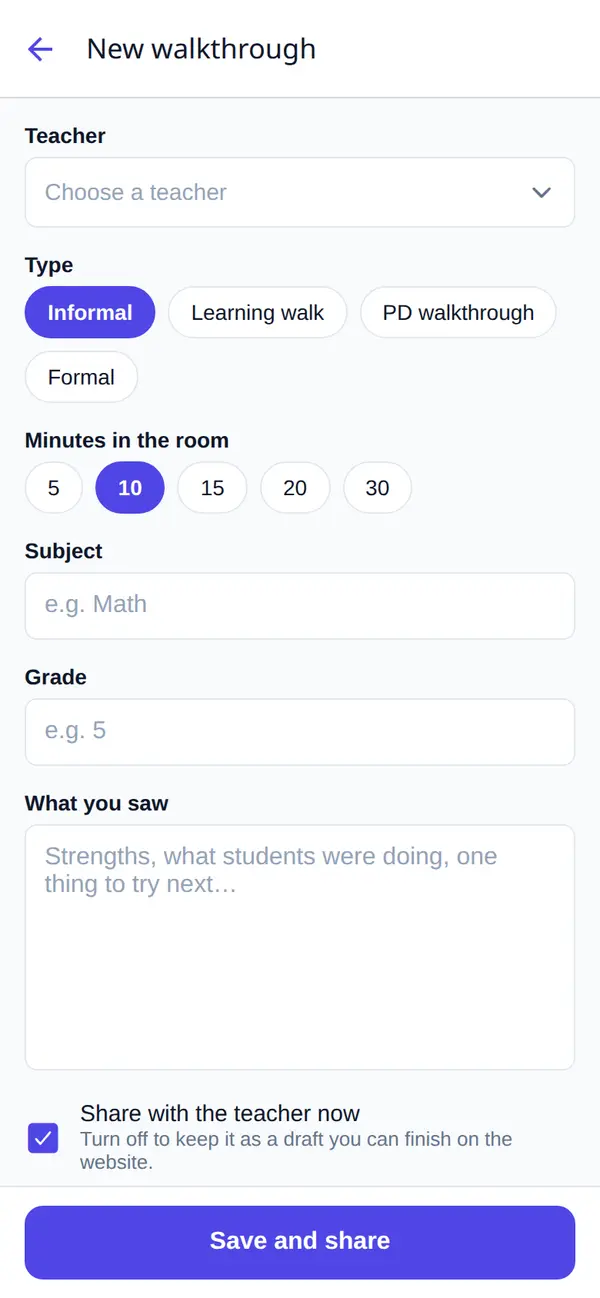
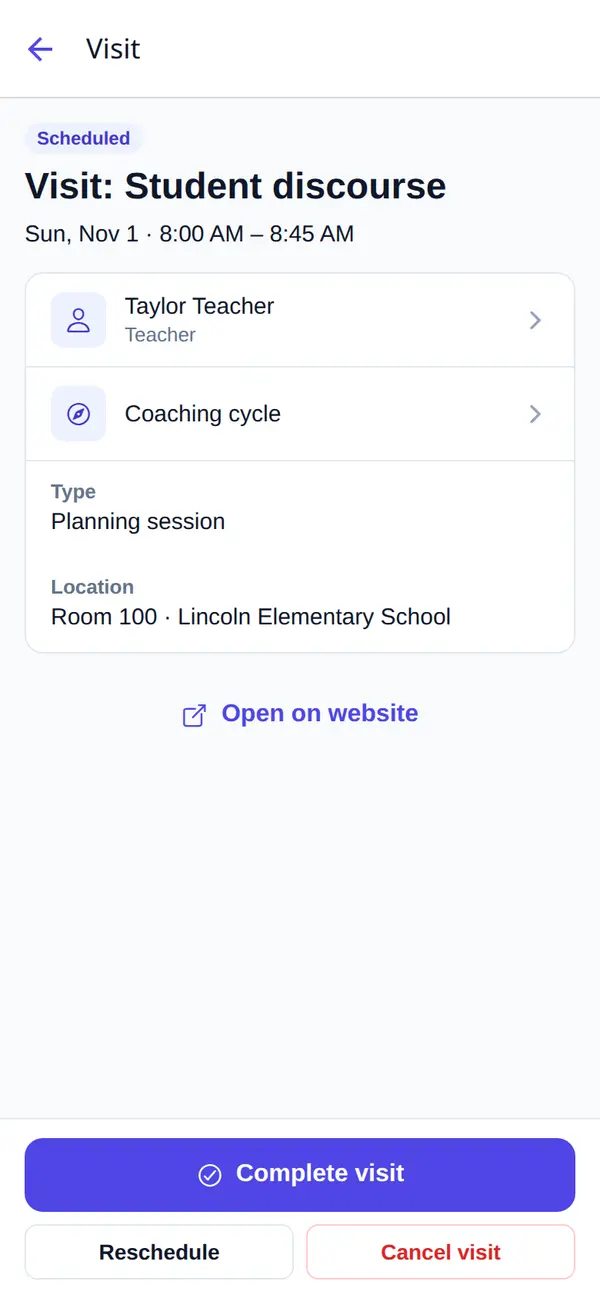
The COMPASS mobile app covers the work done away from a desk. Coaches and principals capture walkthroughs, score observations live, close out visits and schedule the next one. Teachers read feedback, acknowledge it and tick off their action steps.
- Today's visits and caseload alerts on the home screen
- Live observation scoring against your rubric, with evidence
- The same permissions as the website, enforced on every request
Listed as C Advisor on the App Store and Google Play.
Features
Everything instructional teams track, in one place
Curriculum maps & standards
Standards-aligned maps with a draft, review, approve and publish workflow, CASE standards import, scope and sequence, and coverage reports that show the gaps.
Coaching cycles
Goals, pre-conferences, observations, feedback and action steps in one cycle, with caseloads that show which teachers haven't been visited lately.
Observations & walkthroughs
Rubric-based observations shared with teachers for acknowledgement, quick walkthroughs, and trend reports by indicator, school and grade.
Data wall & assessments
NWEA MAP results across Fall, Winter and Spring, achievement bands, growth projections and student groups, ready to print for data meetings.
MTSS & interventions
Tiered intervention plans with progress monitoring, student plans, and attendance with chronic absenteeism flags.
School improvement
Needs assessments, school improvement plans with PDSA cycles, calculated goals, quarterly reviews, versions and program evaluation.
Professional learning
PD sessions tagged to a focus, transcripts, follow-up, and an impact report that compares walkthrough scores before and after.
Title I & federal programs
Grants, budgets, time and effort, equitable services consultations and a compliance binder, alongside teacher evaluations.
Rosters & integrations
CSV roster import or OneRoster 1.2 sync from your SIS, Google and Microsoft sign-in, and private calendar feeds for Outlook, Google and Apple.
Deployment
Runs in your district's own cloud
COMPASS ships as a single virtual machine image. Launch it in your AWS or Google Cloud account and it sets itself up on first boot, so student data stays in infrastructure your district controls.
AWS Marketplace
Subscribe on AWS Marketplace and launch COMPASS into your own AWS account. Settings such as your district name and domain are read from instance tags.
Google Cloud custom image
Create a Compute Engine VM from the COMPASS image in your Google Cloud project. Settings such as your district name and domain are read from instance metadata.
On first boot
- Creates the database and the app's secrets, unique to your VM
- Sets up your district, the current school year and the first administrator
- Optionally gets a free HTTPS certificate for your domain
- Starts the background worker for notifications and roster syncs
Privacy & governance
Student data, handled with care
District isolation
Every record belongs to a district, and users only ever see their own district's data.
Role-based access
Teachers see only their own observations and plans. Confidential coaching cycles stay with the coach, the teacher and district admins.
Privacy tooling
Consents, disclosures, retention policies, legal holds and a full audit log of who did what.
AI governance
An AI use-case registry, risk flags and output reviews, plus a read-only MCP server so assistants like Claude answer with each user's own permissions.
Live demo
Try COMPASS with a demo district
The demo has two districts, a year of assessment data and working examples of every module. Sign in as a district admin, coach, principal or teacher to see COMPASS the way each of them does.
Contact & Support
Talk to the COMPASS team
Questions before you buy, help with a deployment, or a problem in production: send it here and it goes straight to the engineers who build COMPASS.
Support channels
-
Email
support@str8in.com -
Phone
803 919 3252 -
Hours
Mon–Fri, 9:00 AM – 5:00 PM (Eastern). We reply to support requests within one business day.
Send us a request
Fields marked * are required.